
Smartphones make daily life easier, but they also compete for attention throughout the day. Notifications, social feeds, and endless content can quietly consume hours without people realizing it. That growing challenge has fueled interest in tools designed to create healthier technology habits.
In this article, you will learn What Is Get Brick is, how the device works, and why a lot of people use it as a practical solution to limit distractions without giving up the benefits of a smartphone.
What Is Get Brick
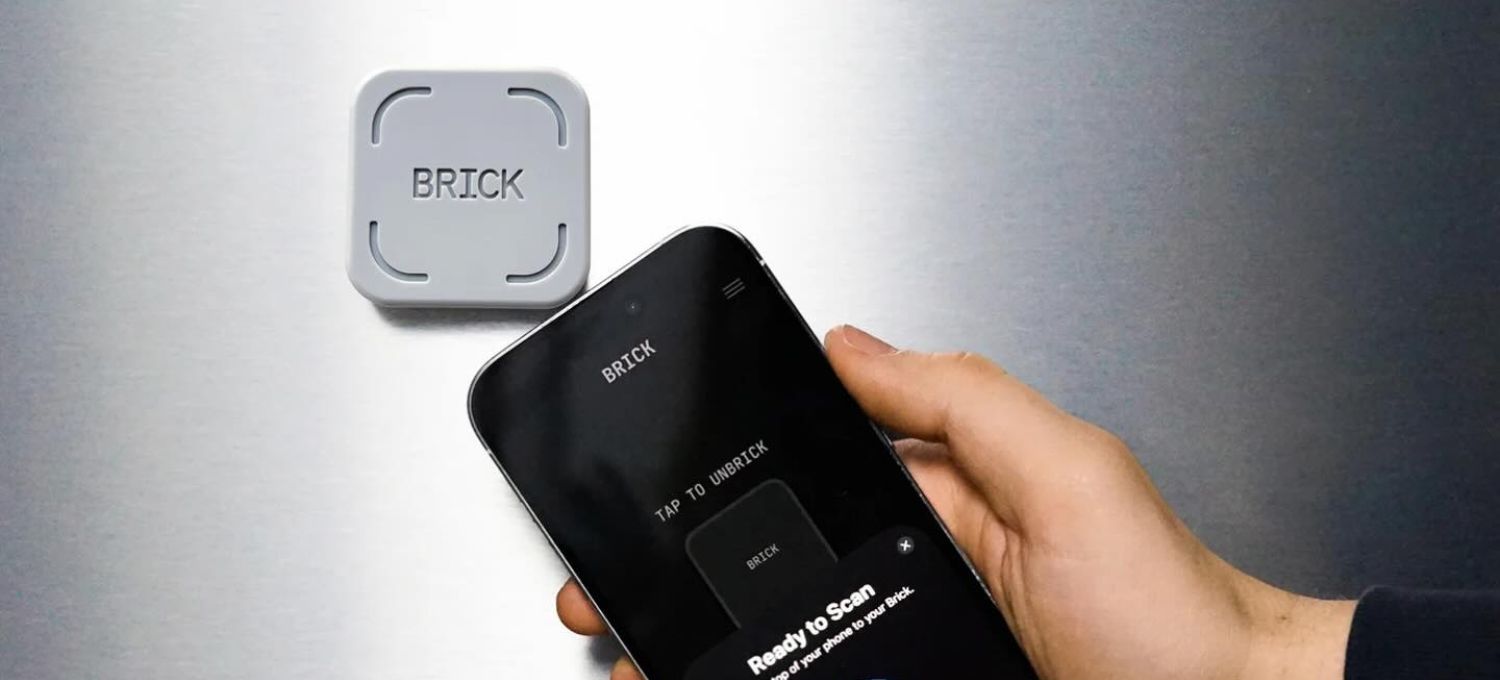
Getbrick is a hardware device that works with a smartphone app to block specific apps on your phone. It adds a physical step to the process, rather than depending purely on digital limits. Users select which apps to ban, touch their phone on the device, and those distractions are barred until the phone is unblocked.
The concept emerged from a simple observation. Many people appreciate the convenience of smartphones but struggle with constant interruptions. The founders of Brick wanted a solution that preserved useful smartphone functions while making distracting apps less accessible.
Traditional app timers don’t do this, but Brick adds a layer of physical isolation. That minor distinction impacts the experience quite a bit, because access is an act of intention, not a fast tap on a screen.
Why Traditional Screen Time Limits Often Fail
Most cellphones already include mechanisms to regulate screen time. Apple’s Screen Time and Android’s Digital Wellbeing have app limits, reports on usage and focus settings. But a lot of people are still spending more time on distracting apps than they intended.
One reason is rehashed endlessly in debates on Reddit and Quora. People say that working around limits becomes second nature. When an option to ignore a limit appears, people tap it automatically, without much consideration.
This is where behavioral psychology becomes interesting. A digital barrier lives inside the same device creating the temptation. Because the shortcut is always available, self control must work continuously throughout the day.
Brick attacks the problem differently. The physical device is a friction point. A blocking session is one conscious decision people are making, not a hundred times of resisting temptation.
How The Brick Device Works
The setup process is designed to be straightforward. After downloading the Brick app, users connect their device and create custom modes based on different situations.
Choosing Apps To Block
Users can select specific apps that tend to create distractions. Social media platforms, video apps, gaming apps, and entertainment services are common choices.
One of the strongest qualities of the device is flexibility. Someone studying for exams may want to restrict social networking applications and video sites, while someone else might just want to prevent business chat apps during family time.
Brick allows multiple custom modes, making it possible to create different routines for work, studying, exercise, sleep, or personal activities.
Activating Brick Mode
Once the preferred settings are ready, activating a session requires tapping the phone against the physical Brick device.
That step immediately disables certain apps and websites. It sounds simple, but many people say that actually touching the device makes them feel more likely to stay focused.
An interesting pattern mentioned in online discussions is that people often place the device in another room after activating it. That extra distance adds another layer of accountability.
Returning To Unblock Apps
When the session ends, users tap their phone against the device again to restore access.
The key difference is that distractions cannot simply be re-enabled with a quick screen tap. The requirement to physically reconnect with the device introduces a pause that encourages more deliberate decisions.
For situations where the device is unavailable, Brick includes a limited number of emergency unblocks. This prevents accidental lockouts while maintaining the integrity of the system.
How Brick For Screen Time Creates Better Habits
Many screen time tools focus on restriction. Brick focuses more on creating intentional behavior.
Reducing Impulsive App Usage
Much smartphone use happens automatically. People unlock their phones for a practical reason and end up spending twenty minutes scrolling through unrelated content.
The Brick Phone Blocker breaks that pattern. It limits opportunities for impulsive conduct by restricting access to selected distractions. Several user reviews mention that this impact creates distance between purpose and action.
That distinction matters because habits often change more effectively when environments change alongside motivation.
Encouraging Intentional Phone Use
One of the more interesting outcomes reported by long term users involves a shift in how phones are viewed. Instead of acting as constant entertainment devices, smartphones return to serving specific purposes.
People are using tons of navigation, notes, calendars, banking apps, or conversation without going into social media loops. This restricted access allows you to remain productive without having to go on a digital detox.
The result is not necessarily less technology. It is often more purposeful technology.
FAQs
Does Brick Require A Subscription?
No. The purchase includes the physical device and lifetime access to the app without recurring subscription fees.
Can One Brick Work With Multiple Phones?
Yes. The system supports multiple devices, making it useful for households or shared environments.
What Happens If The Device Is Lost?
Brick provides emergency unblocks through the app. Additional support options are also available through the company.
Is Brick Compatible With Android And iPhone?
Brick works with iPhones running iOS 16.2 or later and Android devices running Android 12 or newer.
Can Brick Block Every App?
Most apps can be blocked. Certain core phone functions remain available due to operating system requirements.
As digital distractions become ever more sophisticated, many people find that software is not always adequate. What sets Brick apart is the fact that it mixes technology with physical activity, providing a concrete barrier between distraction and intention.
Follow GotYourDeal and stay updated on the latest trends shaping everyday tech.